 Triple Tack
Good things come in threes.
Write three things. Keep them in sight. Cross them off. It’s the oldest trick on the desk, now on your iPhone, and it opens right up on iPhone Duo.
For iPhone and iPhone Duo. €6.99, once.

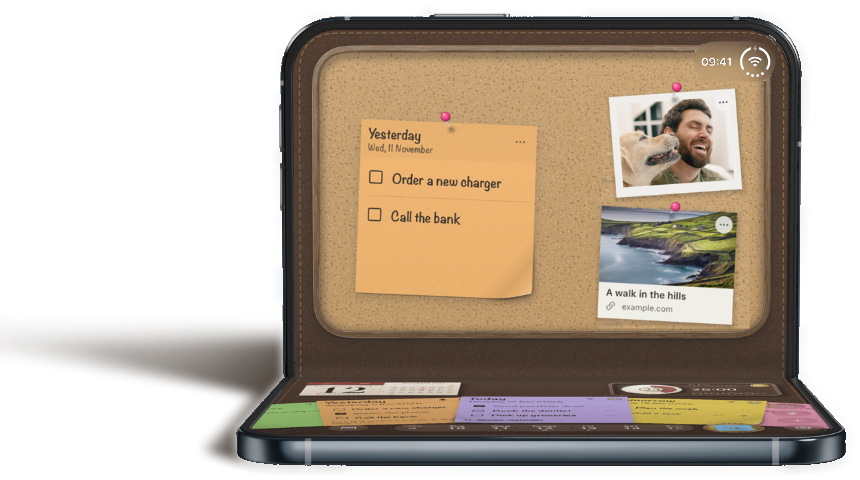
Bend it. Stand it. Planned it.
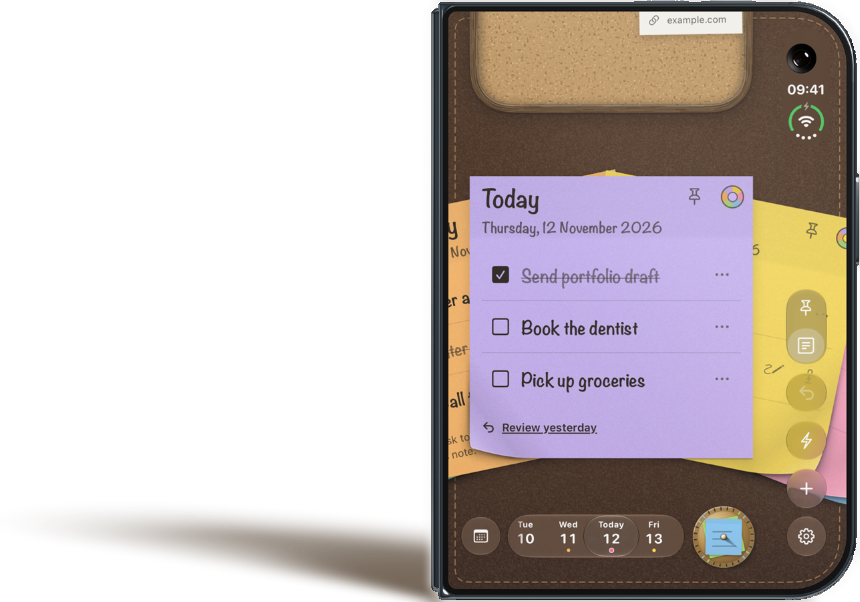
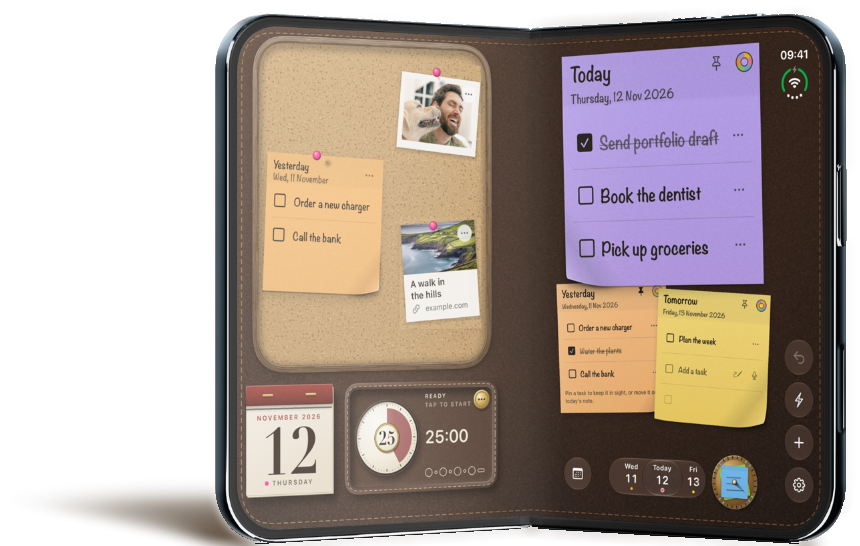
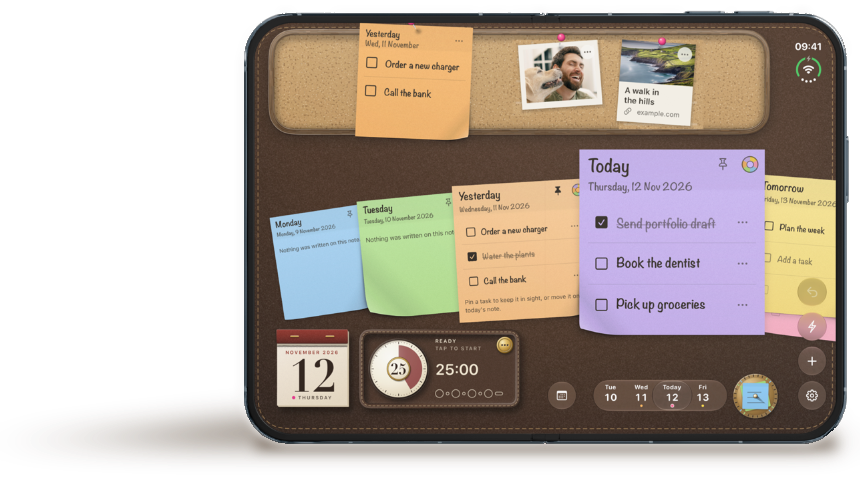
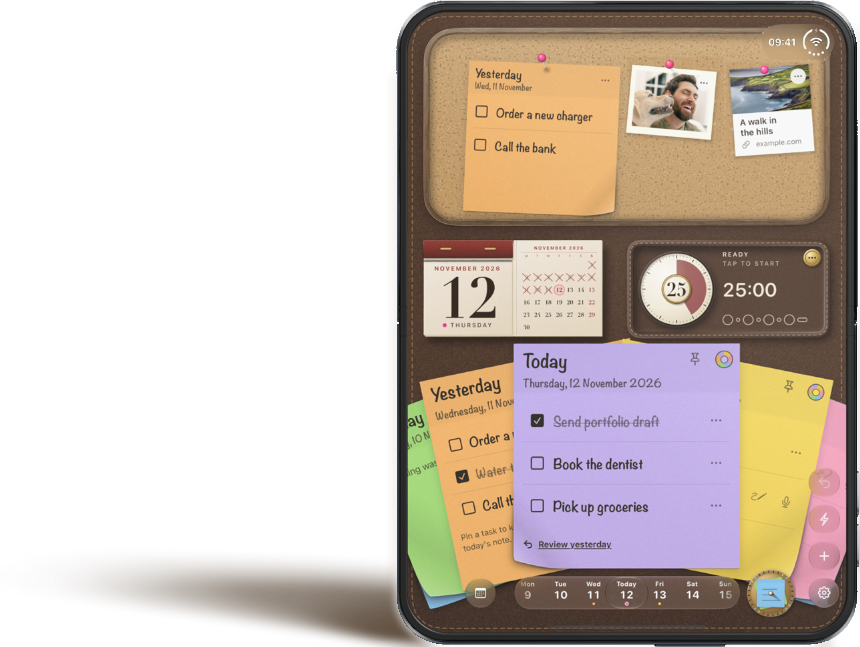
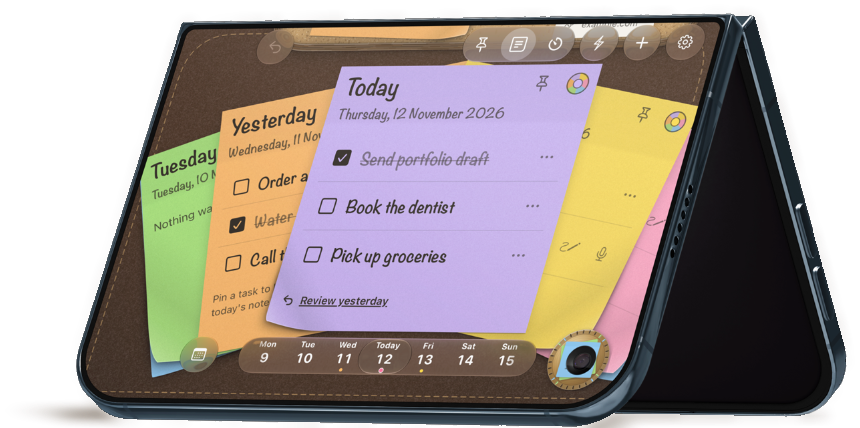
iPhone Duo is where Triple Tack really opens up. Unfold it and the board, the days and the timer are all in view at once. Whichever way you fold it, you’re covered from every angle.
Half open, it sits on the table like a desk of its own. The board stands up where you can see it, and today’s sticky lies flat for writing.
iPhone Duo layouts need iOS 27.1 or later.
Down to brass tacks.
Most to-do apps help you add more. This one helps you choose the three things that will really move today forward.
-
Lead with what matters.Put your highest-value task on line one. If it’s the only thing you finish, the day still counted.
-
Do what counts, not what’s quick.Used lines stay used. You can’t clear space by knocking off the easy ones, which is rather the point.
-
A place for unfinished business.Get yesterday’s leftovers off your mind and onto the board, so you can focus on the task at hand. It stays in view, so nothing’s forgotten, and it’s there when you have a minute.
It’s known as the Rule of Three, from J.D. Meier’s Getting Results the Agile Way. People plan for more than a day holds (Kahneman & Tversky, 1979), nothing lifts a working day like progress, even in small steps (Amabile & Kramer, 2011), and a plan quiets an unfinished task (Masicampo & Baumeister, 2011).
Try it. Cross these off, or write your own.
A finished sticky goes on the spike. Three make a set here.
Take note. Any way you like.
Write it your way, and it’s on the sticky before the thought has gone.

Out of app. Never out of sight.
A sticky note works because it’s there every time you look up. So today’s sticky lives on your Lock Screen and in the Dynamic Island, with what’s left to do. No opening anything. Just a glance.
See how many you’ve ticked off and how many are left. Start the focus timer and its countdown sits right beside them.
There’s no place like Home Screen.
Just the sticky. Today and tomorrow. The pinboard. Or the whole desk, stitching and all.


Today’s sticky
small or large

medium

medium or large

large

large or a whole page

a full Home Screen on iOS 27
Stick a pin in it.
What isn’t for today doesn’t have to live in your head. Pin it to the board above your sticky and it stays in sight until its day comes.
-
Yesterday
Wed, 11 November
Order a new charger
Ring the plumber
-
Sow nothing in spring, reap nothing in autumn.
-

-
 The Wild Atlantic Way
en.wikipedia.org
-
Drag anything on the board to move it.Press and hold anything on the board to move it.
Yesterday’s leftovers
Nothing unfinished is forgotten. Pin yesterday’s note and it shows only what’s still to do.
Index cards
A few words on card stock, for the ideas that aren’t to-dos yet.
Links and photos
Keep what you’re working towards in view. A page to read, a place to go, a face that makes you smile.
Notes by hand
A doodle or a word of encouragement, tacked up where you’ll see it.
Time well spent.
Less scrolling, more doing. Give one to-do 25 minutes of your full attention, then take a breather. It works, and it feels great.
On iPhone, and on the cover of iPhone Duo, tap the timer in the switch or pull the desk up. Unfold iPhone Duo and it’s right there on the desk. Put the iPhone down and the countdown follows you to the Lock Screen and the Dynamic Island.
- 25
- 5
- 25
- 5
- 25
- 5
- 25
- long break

Siri, are you taking notes?
Elbow-deep in dinner, halfway out the door, one hand on the pram. Just say “Triple Tack, new task” and it’s on the sticky.


Done and dusted.
Cross off the last line. Watch the sticky go. Feel that? That’s progress, and it’s stacking up.
Finish a set and start the next one with a clear desk.
A happy ending. Three, actually.
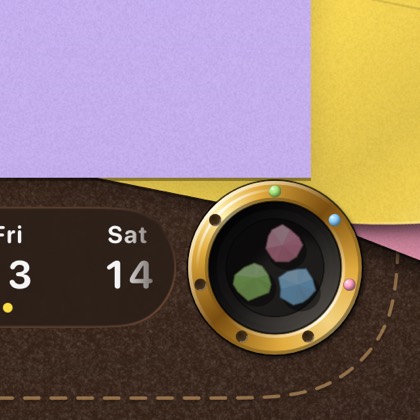
The well
Scrunch. Drop. Gone. The most satisfying way to throw a day’s work away.
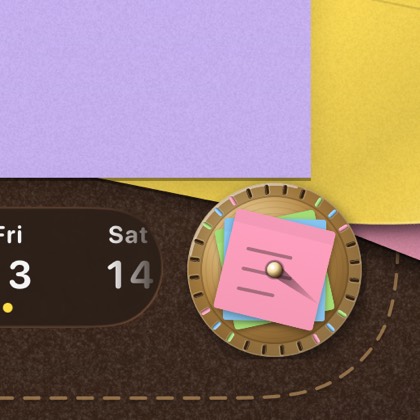
The spike
Get straight to the point. Finished stickies stack up on a brass spike.
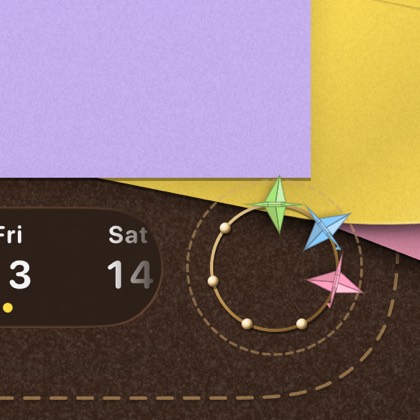
Paper cranes
Done never looked so beautiful. Each finished sticky folds into a crane.
Look how far you’ve come.
Further than you think. It’s easy to forget how much you’ve done, so the calendar keeps every week, every sticky, every line crossed off.

Desk goals.
You’ll look at it all day, so make it one you love. Pick the leather, the board, the stickies and the pins. Tap a desk to try it on.
Bright idea. Or a soft one.
Vibrant for a fresh pad, Pastel for something calmer. Keep one colour or mix them up.
Every desk, board and pin comes with the app.


Between you and your iPhone.
What you write is yours. It’s kept on your iPhone, it’s never used for ads, and nobody’s watching what you tick off.
Privacy
Yours alone
No ads. No tracking. Nothing sold.
Easy does it.
The paper can fly, or it can sit still. The writing can be bigger and bolder. Anything you can drag, you can also do with a tap. You choose.
Easy to read
- VoiceOverEvery note, to-do, pin and control is labelled.
- Larger writingThe handwriting can be larger, and light or bold.
- Darker inkDarker ink and colour names are there if you want them.
Easy to use
- Reduce MotionWith it on, nothing flies or bounces.
- Tap instead of dragMove, pin and resize with a tap.
- SoundsQuiet when your iPhone is on silent, with an off switch.
Buy it once. Keep it for good.
Pay €6.99 once and get on with your day. Every desk, board, pin and place for finished stickies comes with it.
No ads, and what you buy is yours for good.
Triple Tack
€6.99once
- Three to-dos a day, the pinboard for the rest
- Three leather desks and three boards
- Three places for finished stickies
- Focus timer, weeks and writing by hand
- Live Activity, widgets and Siri
- iPhone and iPhone Duo
$6.99 in the US, £5.99 in the UK. Prices include VAT where it applies.
Questions
Why only three?
Because a day holds less than we plan for. Three is enough to make a day count and few enough to finish, and a finished list feels better than a long one. If something else turns up, it goes on the board.
What if I finish all three by lunch?
Then you’ve had a good day. A crossed-off line still counts as one of the three, so that sticky is full. If you want more, start a fresh sticky for the day.
What happens to things I don’t finish?
Nothing is lost. When the day ends, a sticky with something unfinished goes up on the board, so it stays in sight. Move the to-do onto today’s sticky when it deserves one of today’s three lines.
Can I look back at earlier days?
Yes, every sticky is kept. Swipe to turn the days, slide along the strip of dates, or open the calendar to see your weeks side by side.
Does it work with Siri?
Yes, with nothing to set up. Say “Triple Tack, new task”, “What’s left today in Triple Tack” or “Start my Triple Tack timer”. After “new task”, Siri asks what to write.
Does it sync with my other devices?
Not yet. Triple Tack is for iPhone, and what you write stays on that iPhone.
Can I turn the sounds and the flying paper off?
Yes. Sounds have a switch in Settings and stay quiet when your iPhone is on silent. The paper follows the system’s Reduce Motion setting.
Is there a subscription, or anything extra to buy?
Not for anything on this page. Triple Tack is €6.99, paid once, and every desk, board, pin and place for finished stickies is yours to keep. If optional extras come along later, what you bought stays yours.
Do I need an iPhone Duo?
No. Triple Tack runs on any iPhone with iOS 26 or later. On an iPhone Duo with iOS 27.1 or later, it’s laid out for every way you hold it.